
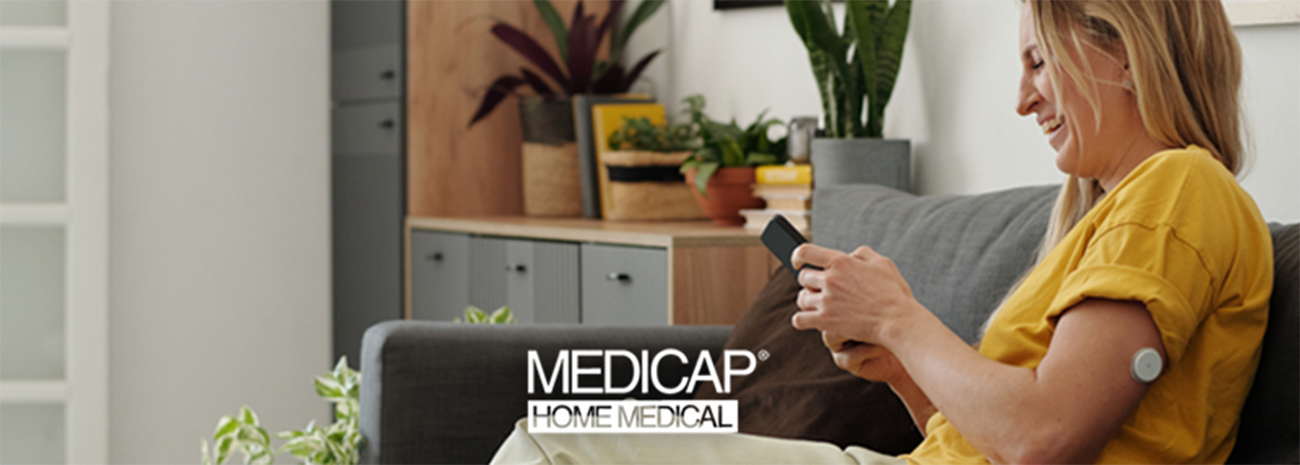
Getting a clear look at your glucose throughout the day can be genuinely helpful. It can also feel like a lot of new information all at once.
If you’ve just started using a continuous glucose monitor, or you’re considering one after talking with your healthcare provider, it’s normal to feel a little overwhelmed by the sensor, app, alerts, and supply process.
Learning the device and starting to recognize patterns takes time, and that’s expected. Nobody masters a CGM on day one.
A CGM won’t make diabetes management effortless. Depending on your CGM system, symptoms, readings, and care plan, you may still need finger-stick checks at certain times. What a CGM can do is provide more information for you and your diabetes care team to review together.
What should you expect when starting a CGM?
During your first days with a continuous glucose monitor, you’ll learn how to use and replace the sensor, view readings, recognize trend arrows and alerts, and keep track of supplies. You’ll also learn which questions should go to your diabetes care team, equipment provider, or device manufacturer.
What Does a CGM Do?
A continuous glucose monitor uses a small sensor placed just under your skin to estimate glucose in the fluid between your cells, known as interstitial fluid. It provides readings throughout the day and night, which can help you and your diabetes care team review changes and patterns over time.
Depending on the system, your CGM may send this information to a smartphone app, insulin pump, or separate receiver. Some systems also provide trend arrows and alerts.
The National Institute of Diabetes and Digestive and Kidney Diseases explains that CGMs estimate glucose every few minutes and track those estimates over time.
A CGM gives you more information than a single reading at one moment. However, your diabetes care team should help you understand what that information means for your personal treatment plan.
Why CGM and Finger-Stick Meter Readings Can Differ
If you’ve used a finger-stick meter, you may notice that your CGM and meter numbers don’t always match exactly.
A blood glucose meter measures glucose in a small blood sample. A CGM estimates glucose in the fluid between your cells. Because the two devices measure glucose differently, some variation can happen, especially when glucose is changing.
Accuracy, comparison instructions, and recommended next steps vary by system. Follow the instructions for your specific CGM if:
The reading doesn’t match how you feel
Your CGM and finger-stick meter readings are different
You receive an unexpected alert
You aren’t sure whether a reading is accurate
Contact your diabetes care team or device manufacturer if you’re unsure what to do. Don’t change insulin, medication, or another part of your treatment plan without following the guidance provided by your care team.
The Basic Parts of a CGM
CGM systems vary, but most include some version of these components:
Sensor: The small piece placed just under your skin that measures glucose.
Applicator: The tool used to place the sensor.
Transmitter: The part that sends readings wirelessly. In some systems, it’s built into the sensor.
Receiver or compatible smart device: Where you can view your readings, trends, and alerts.
Adhesive: The material that helps keep the sensor in place.
Replacement supplies: New sensors and other system-specific items needed for continued use.
Exact components, placement, and instructions vary by brand and model, so always follow the setup steps that come with your specific device.
What Your First Day With a CGM May Look Like
Your first day is mostly about becoming familiar with the system.
Getting started may include:
Reading the manufacturer’s instructions
Applying and starting the sensor according to the instructions or training you received
Pairing your receiver or compatible phone
Allowing for any warm-up period required by your device
Learning where readings, trends, and alerts appear
Reviewing the response plan provided by your diabetes care team
Keeping the packaging and support information nearby
Application sites, warm-up times, sensor wear periods, and compatible devices differ by CGM system. Use your device’s instructions rather than a general rule you find online.
What the First Week Often Teaches You
Getting Used to Seeing More Numbers
Having glucose information available throughout the day can feel like a lot at first.
You don’t have to interpret every number on your own. Follow the instructions and response plan provided by your diabetes care team, especially when you receive a high or low alert.
Over time, you’ll become more familiar with where to find information, how your system communicates alerts, and which questions to bring to your provider.
Trend Arrows and Patterns
Many systems show trend arrows that point to the general direction your glucose is heading, such as steady, rising, or falling.
Over the week, you may also start to notice routine patterns and receive alerts.
Learning what the arrows mean at a general level is helpful, but how to respond to any reading is a conversation for your care team, not something to figure out from an app alone.
Living With the Sensor
Your first week also introduces the everyday stuff — like how your sensor fits into routines such as getting dressed, sleeping, bathing, exercising, using your phone or receiver, checking when the sensor is due for a replacement, and keeping track of your CGM supplies.
Water-resistance guidance varies by device. Check your manufacturer’s instructions before showering, bathing, or swimming with your sensor.
Have Questions About Your New CGM?
Medicap Home Medical can help with CGM equipment, supplies, and the ordering process. If your question belongs with your healthcare provider or the device manufacturer, our team can help point you in the right direction.
Explore Continuous Glucose Monitors
Find a Medicap Home Medical Location
Who Should I Call With CGM Questions?
One of the most helpful things to learn early is where different questions should go. Responsibilities can vary by provider, supplier, and CGM system, so ask if you’re unsure.
Contact Your Diabetes Care Team About
Your glucose targets
High or low readings
Symptoms you’re experiencing
Insulin or medication decisions
Changes to your treatment plan
Clinical interpretation of CGM trends
Readings that don’t match how you feel
When to use a finger-stick meter
Contact Your Equipment Provider or Manufacturer About
CGM supply questions
Device setup support within their scope
Sensor, transmitter, receiver, or app issues
Product-specific technical support
Sensor replacement questions
A sensor that becomes loose or stops working
Ordering and refill processes
Device warranty or replacement policies
Planning for CGM Supplies and Sensor Replacements
A little planning can help you avoid running out of CGM supplies.
Consider these steps:
Check how long your specific sensor is designed to be worn.
Keep track of sensor replacement dates.
Review when you’re eligible to order your next supplies.
Begin the refill process before you use your final sensor.
Follow the manufacturer’s storage instructions.
Keep your supplier and manufacturer contact information nearby.
Confirm what your insurance plan requires for refills.
Wear time varies by device. Don’t keep a sensor in place beyond the period allowed by its manufacturer.
Coverage, replacement eligibility, refill timing, and shipping depend on the device, supplier, insurance plan, and individual situation. Confirm these details rather than assuming that another CGM user’s schedule will be the same as yours.
Need Help Staying Ahead on CGM Supplies?
Medicap can answer equipment and supply questions, explain its process, and help you understand your next step.
Get Help With CGM Equipment and Supplies
Local Support for CGM Equipment and Supplies
Medicap Home Medical supports people across Iowa with CGM equipment and supplies. Our team can explain the ordering process, answer equipment questions, and help direct you to the right resource when you need clinical or technical support.
We don’t replace your diabetes care team. Questions about your readings, symptoms, medications, insulin, target ranges, or treatment plan should go to your healthcare provider.
Our team is here to help with CGM equipment, supplies, and the ordering process. If you’re unsure where your question belongs, we can help point you toward your healthcare provider, equipment provider, or device manufacturer.
What New CGM Users Commonly Ask
Does a CGM replace finger-stick testing?
Not always. Whether you need finger-stick checks depends on your CGM system, symptoms, readings, and diabetes care plan.
Follow the instructions for your particular device, and ask your diabetes care team when a finger-stick check may be needed. Some CGMs are approved for treatment decisions without routine finger-stick calibration, but individual situations and device instructions vary.
Why is my CGM reading different from my glucose meter?
A finger-stick meter measures glucose in a blood sample, while a CGM estimates glucose in the fluid between your cells. Because they measure glucose differently, some variation can happen.
Follow your device instructions if the numbers don’t match or the reading doesn’t match how you feel. Contact your diabetes care team or manufacturer if you’re unsure how to respond.
What do CGM trend arrows mean?
Trend arrows show the general direction your glucose is moving, such as steady, rising, or falling.
Arrow symbols and the rates they represent vary by system. Use your CGM’s user guide to understand the arrows, and follow the response plan provided by your diabetes care team.
Will I feel the CGM sensor?
Experiences vary. You may feel the sensor being applied, but many people become less aware of it after it’s in place.
If you have ongoing pain, significant irritation, swelling, or another concerning symptom, contact your healthcare provider. For application or device concerns, follow the manufacturer’s instructions or contact its technical support team.
Can I shower while wearing a CGM?
Water-resistance guidance differs by CGM system. Check your manufacturer’s instructions for showering, bathing, swimming, and protecting your specific sensor.
What should I do if my sensor comes loose?
Follow the instructions for your specific CGM. The correct next step can depend on the device, how loose the sensor is, and whether it’s still providing readings.
Contact the device manufacturer for technical guidance. If you need help with replacement supplies, contact your equipment provider.
Who should I call if I have questions about my readings?
Questions about readings, symptoms, glucose targets, medications, insulin, or treatment decisions should go to your diabetes care team.
For device support, equipment concerns, and supply questions, contact your equipment provider or CGM manufacturer.
Where can I get help with CGM supplies?
Your home medical equipment provider can help with supply orders, eligible replacements, refill timing, and the ordering process.
Medicap supports CGM users throughout Iowa. Our team can answer equipment and supply questions and help you understand the ordering process.
Does insurance cover a continuous glucose monitor?
Coverage varies by insurance plan, medical need, prescription, documentation, device, and supplier requirements.
Contact your insurance plan and CGM supplier to verify current coverage, refill requirements, and possible out-of-pocket costs before ordering.
Get Help With Your CGM Equipment and Supplies
Starting your first CGM involves more than learning where to find your numbers. You’re also learning how the sensor fits into your routine, when supplies need to be replaced, and who to contact when you have questions.
The Medicap team can answer CGM equipment and supply questions. If your question belongs with your healthcare provider or device manufacturer, we can help point you in the right direction.
Get Help With CGM Equipment and Supplies
Find a Medicap Home Medical Location
A CGM provides information that can support diabetes management, but treatment decisions should follow the guidance provided by your diabetes care team and the instructions for your specific device. Contact your healthcare provider for questions about readings, symptoms, medications, insulin, or your treatment plan. Contact your equipment provider or device manufacturer for equipment, technical, or supply support.